
Excel templates in Dynamics are a great way to give users access to a pre-defined spreadsheet they can use to summarize and analyze data. Users can set up filters ahead of time, download a template, and any predefined sheets, charts, and tables will be displayed.
However, sometimes users need a more in-depth breakdown of their data. For example, if you wanted to dynamically create sheets, like if you needed one sheet for each exported record, you would need to build an SSRS report. While SSRS reports are powerful, they can be time-consuming to build and come with a steep learning curve.
That’s where Office Scripts can help! With the introduction of Office Scripts, users have a way to generate custom sheets and tables within an Excel sheet. Think of it as a compromise between the accessibility of Excel and the power of SSRS.
Office Scripts are files of code that can be built and run right within Excel. Unlike macros, they don’t require a separate file type, allowing them to be used with Excel templates. Once a script is embedded in an Excel sheet, anyone with access to the sheet can run that script, including users who download the template from Dynamics.
Let’s look at one of the ways you can use Office Scripts to build a more flexible Excel Template for Dynamics.
Caveats:
Before jumping into Office Scripts, there are a few items to consider:
- Learning Curve: While the learning curve for Office Scripts isn’t as steep as SSRS reports, Office Scripts are built using TypeScript, a more restrictive version of JavaScript. While some actions can be recorded, modifying those actions or creating more complicated automations will still require getting familiar with TypeScript and Office Script’s unique functions.
- Linking: When you embed a script in an Excel Sheet, you’re creating a reference to your script. This means that any changes you make to the script will be reflected when users run the script in Excel. This also applies to any Excel sheets downloaded from Dynamics. While this means that you can apply updates without needing to reupload the template, it also means you’ll want to think carefully about reusing a script across multiple sheets. It may be better to make a copy of the script so that you don’t accidentally break existing functionality.
- Data Pulling: Office Scripts can only work with the data that’s already in the Excel Sheet. If you want to pull data from related records that you can’t pull using a standard Excel Template, see our article Connect an Excel Sheet to a Dynamics 365 Dataverse Environment.
- See Platform limits and requirements with Office Scripts - Office Scripts | Microsoft Learn for platform and licensing requirements for Office Scripts
Example
A common use for SSRS reports is a more detailed breakdown of records. For example, we have a list of open Opportunities, and we want to know:
- The Topic of the Opportunity
- The Account and Contact
- The Estimated Revenue and Estimated Close Date
- Whether or not we’re past the Estimated Close Date
We also want a way to easily navigate to the sheets of different Opportunities and back, without needing to tab through multiple sheets.
We can use Office Scripts to loop through this table of Opportunities: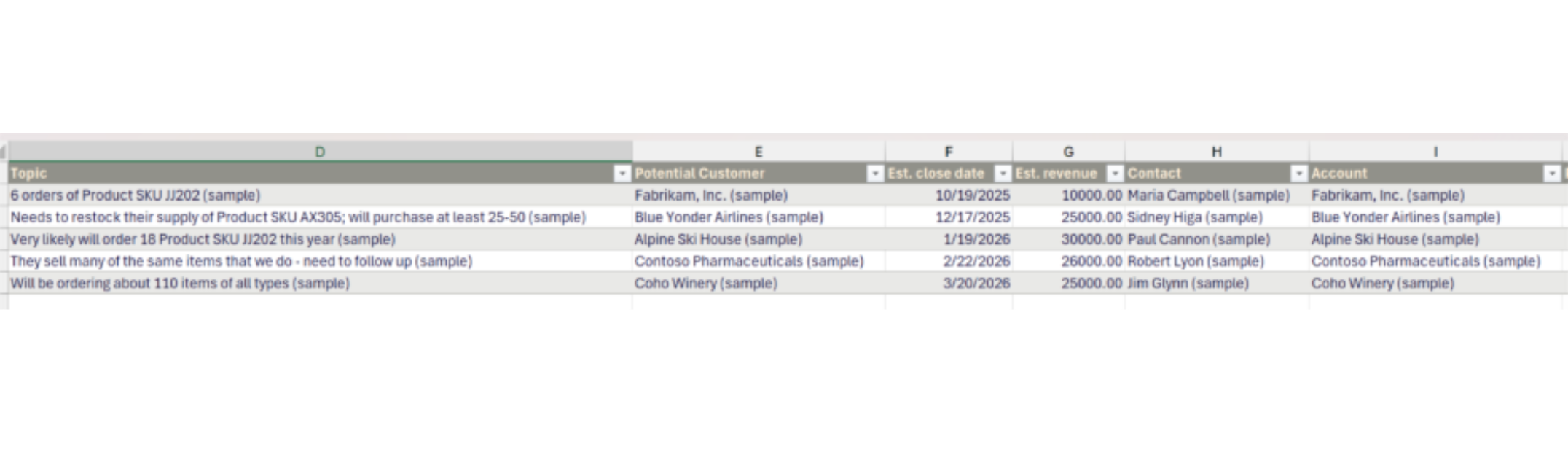
For each Opportunity, we can copy this sheet: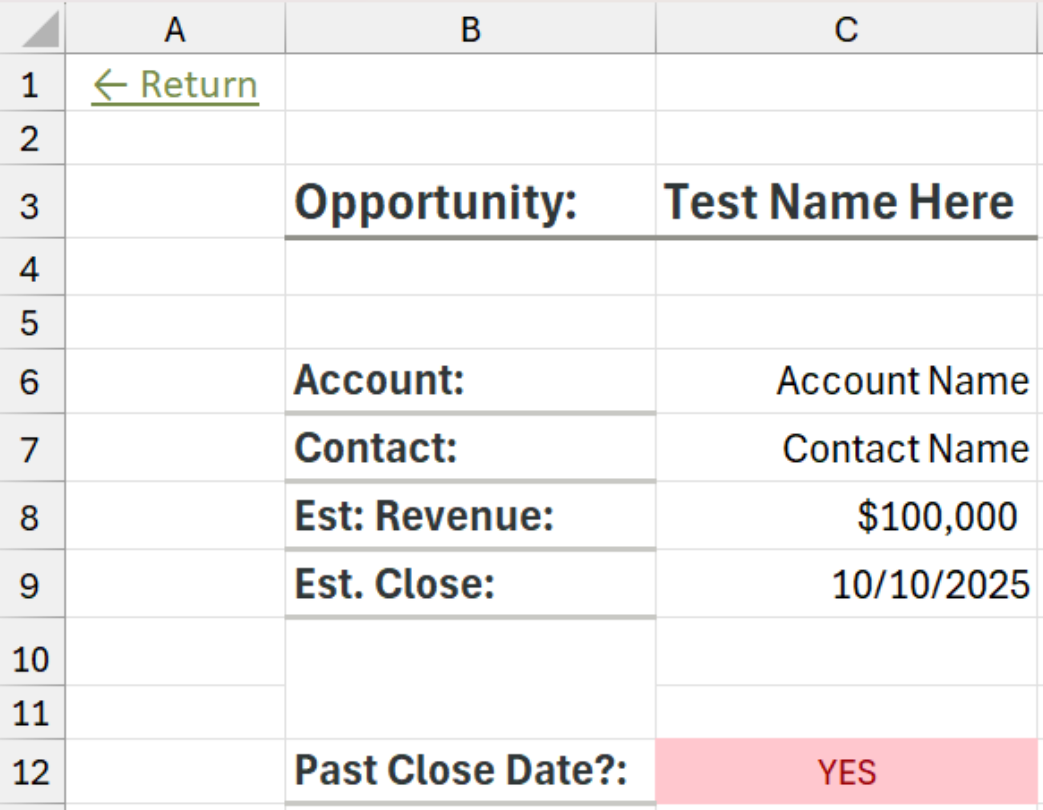
And fill in Column C with data for each given Opportunity.
We can then update a navigation page with the name of each Opportunity’s sheet. (Because Excel sheets have a character limit, the names of the Opportunities are truncated.)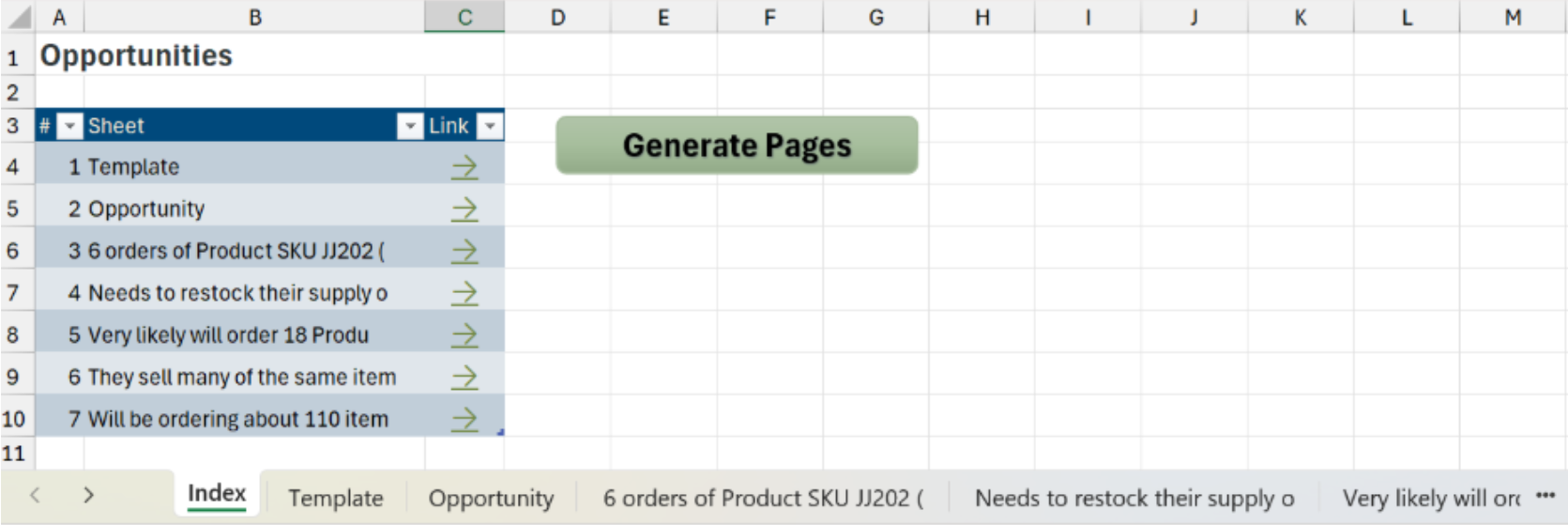
To generate these sheets, all the user needs to do is click the “Generate Pages” button, which is tied to the Office Script: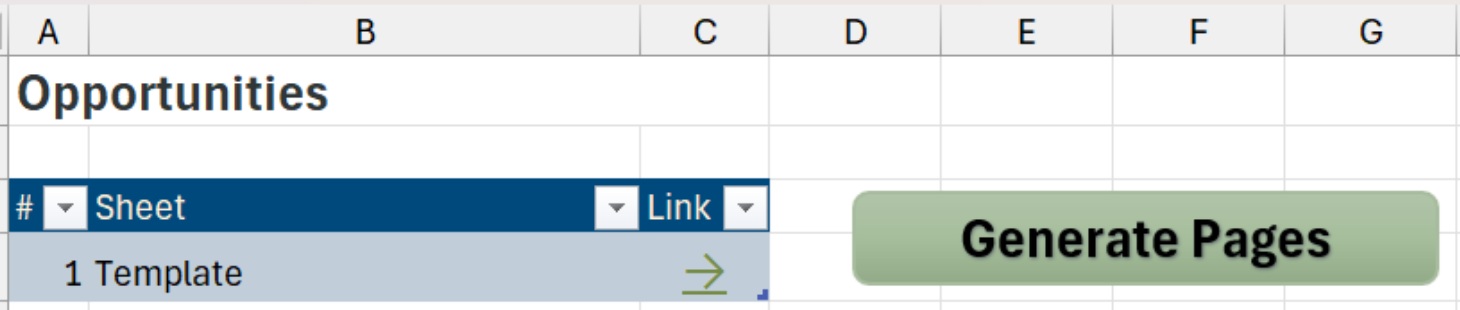
Once we upload the sheet to Dynamics, anyone can then download the sheet, click “Generate Pages,” and get a summary of each Opportunity in their view.
Conclusion
When you need the accessibility of an Excel sheet but the flexibility of an SSRS report, consider using Office Scripts. Office Scripts allow you to make Excel sheets more dynamic and flexible. Office Scripts can even be embedded in Excel Sheets, and when uploaded to Dynamics as Excel Templates, become accessible to other users.
If you need help developing a script or have any other reporting needs, reach out to TopLine at info@toplineresults.com or 1-800-880-1960.
You must be logged in to post a comment.