
As the Zoho ecosystem continues to grow and evolve, Zoho regularly introduces new capabilities and enhancements that help businesses streamline operations and improve productivity. One application that has seen significant growth in both functionality and adoption is Zoho WorkDrive, a powerful cloud-based document management and collaboration platform that is becoming an essential tool for organizations of all sizes.
File Storage and Management
Zoho WorkDrive gives organizations a platform for creating, storing, and managing files. Whether used as a standalone solution or alongside other Zoho apps, WorkDrive helps teams stay organized, improve productivity, and work more efficiently.
Manage File Structure
Zoho WorkDrive operates like other ‘cloud drive’ programs and allows organizations to upload and manage their files into whatever file structure fits best for their needs. WorkDrive also allows for security settings to configure who has access to what items and folders, and WorkDrive offers a generous amount of storage with their plans, which can also be expanded for especially large organizations.
Share Files Internally and Externally
Zoho WorkDrive allows users to share files both within and outside of their organization. It can also configure multiple security settings to ensure that all shared files maintain security.
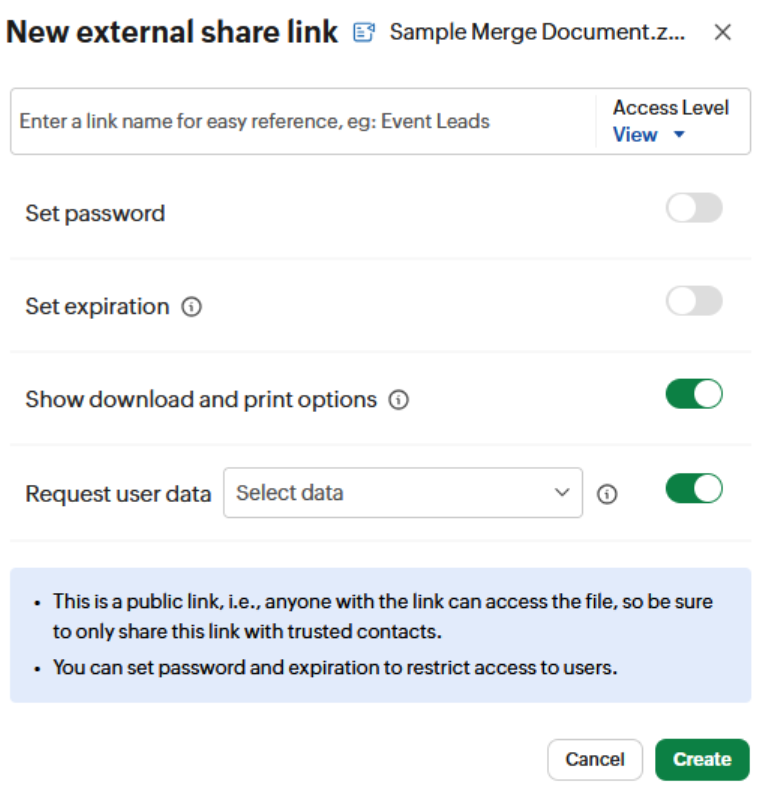
Files shared internally will require users to log in to their Zoho account to verify their identity and view the document. If sharing with external users, users can add passwords to the file, set expiration dates, limit the ability to print, as well as other configurations:
Track and Lock Files
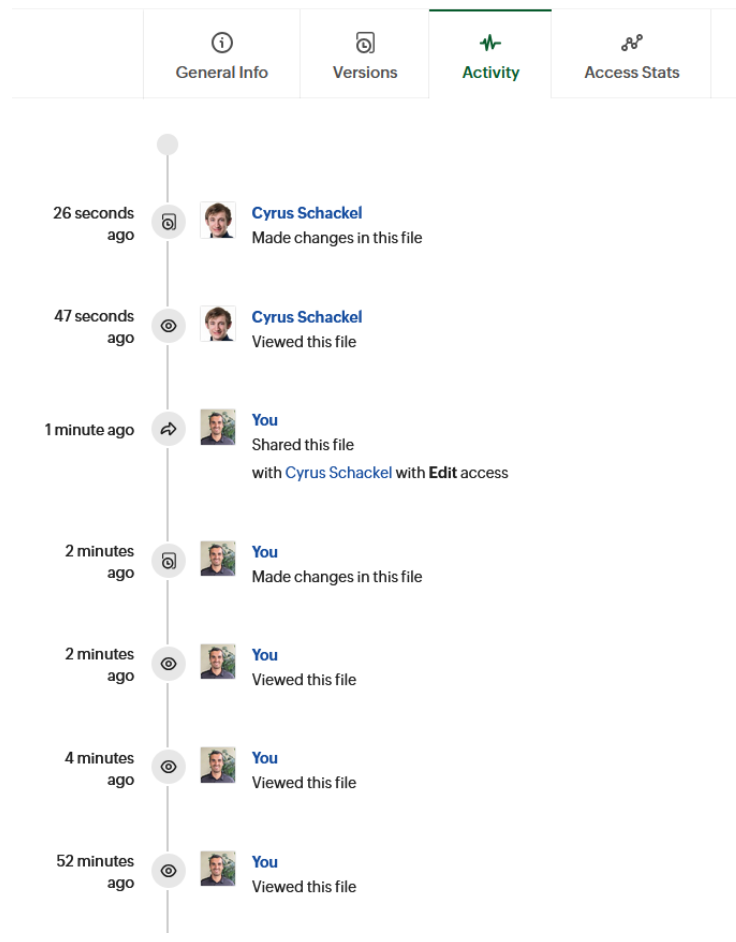
Any view or edit access to a file can be checked to determine who is viewing, sharing, and modifying your documents:
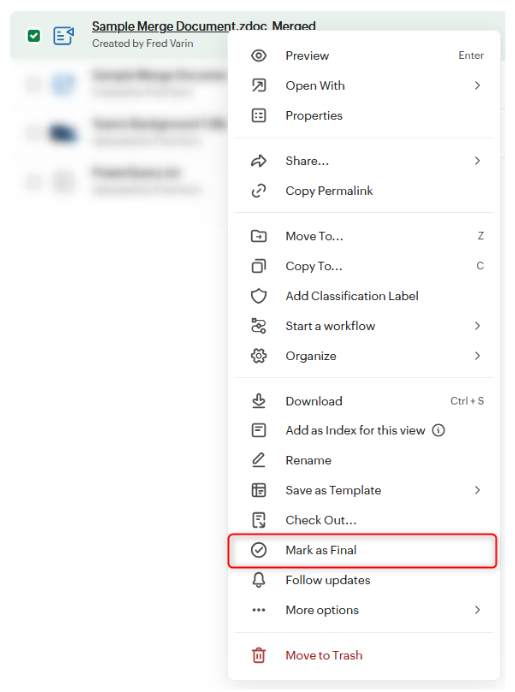
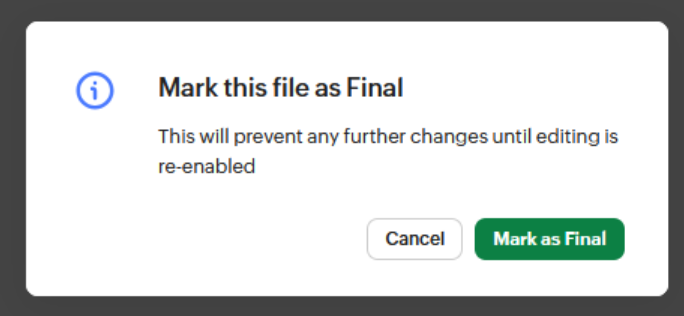
For files that your organization may want to keep from being modified, such as final versions of documents, contracts, agreements, etc., documents can be ‘Marked as Final,’ which prevents additional changes to the document.
These are just a few of the many features that Zoho WorkDrive offers to empower organizations to store, manage, and secure their file-based data. Furthermore, Zoho WorkDrive also integrates with other Zoho apps to provide additional benefits for users who are already in the Zoho ecosystem.
Integration with Zoho CRM
Attaching Files in CRM
Zoho CRM integrates with Zoho WorkDrive, which means files that are stored in WorkDrive can be associated with records in Zoho CRM. By using this method, documents in Zoho WorkDrive can be linked to multiple records in CRM and consume only the Zoho WorkDrive storage limit, without consuming the Zoho CRM file storage limit.
To attach a WorkDrive file to a record in CRM:
-
-
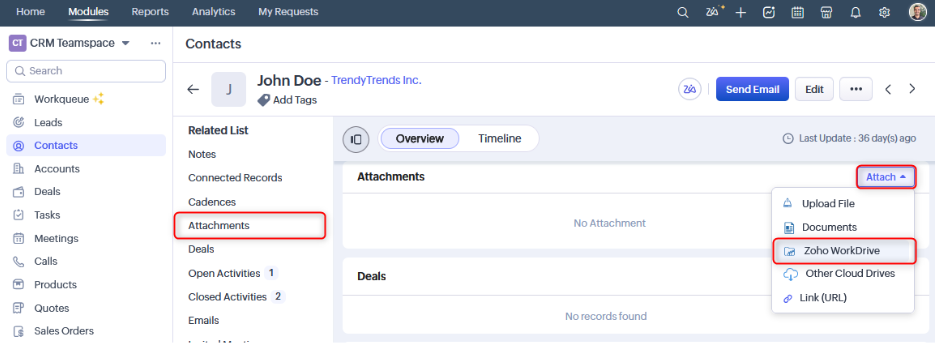
- Open the desired record in Zoho CRM and navigate to the “Attachments” section.
- Click on the “Attach” button and select “Zoho WorkDrive.”
-
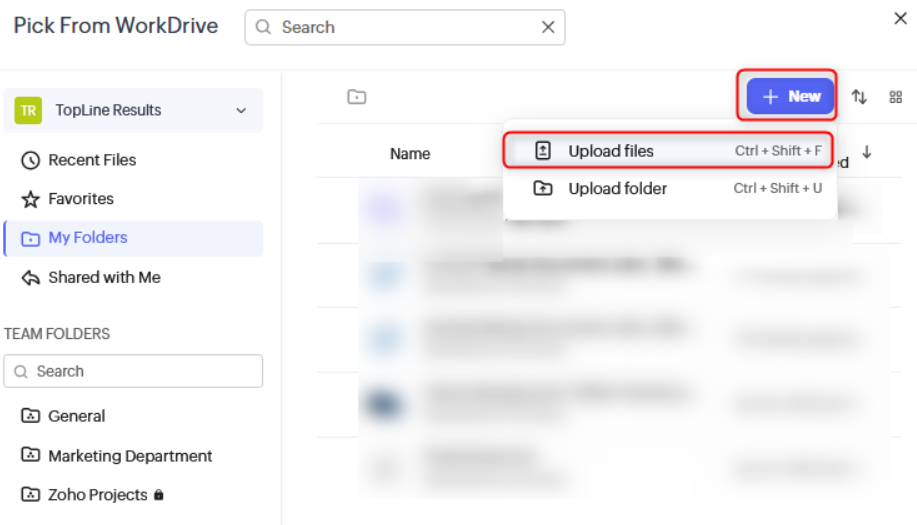
- A menu will appear that will allow you to select either an existing document in Zoho WorkDrive or upload a new document by clicking the “New” button:
- Once you have selected a file, it will appear under the Attachments section.
-
Update to Zoho CRM’s File Storage
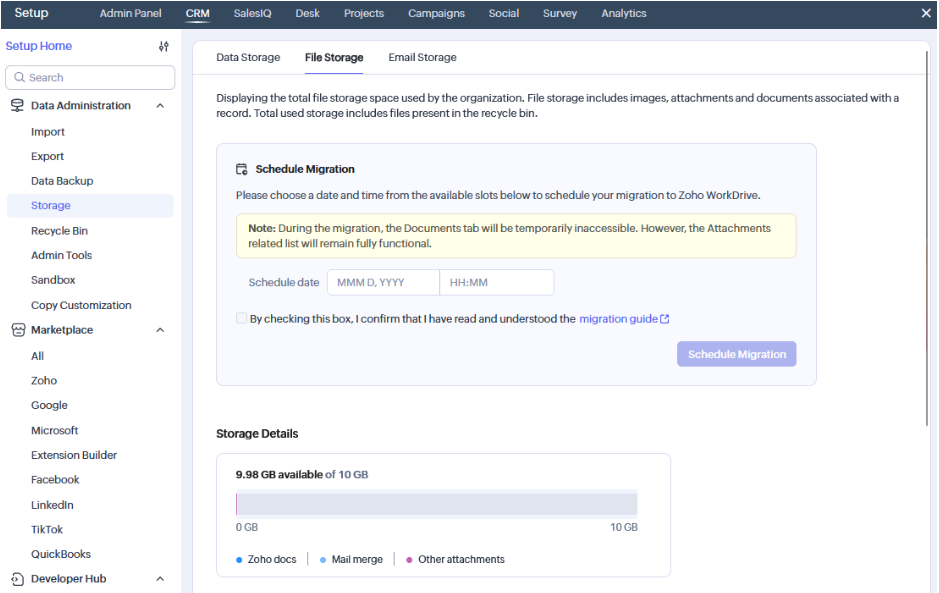
Zoho recently announced a change to Zoho CRM's file storage system, which will now be managed through Zoho WorkDrive. Zoho CRM accounts created after this change will automatically use the new storage method. However, existing accounts will need to migrate onto this new method in a phased manner. As a result, users who are the admins of their Zoho CRM account may receive a notification to migrate their file storage to the new configuration.
If your admin receives a notification, they will need to navigate to “Settings > Data Administration > Storage > File Storage” and schedule the migration. This migration should preserve your existing files and associations, but please be sure to carefully review the migration guide before completing the migration.
Updates to Zoho Writer’s Mail Merge
As part of Zoho’s recent integration of Zoho WorkDrive across its ecosystem, Zoho Writer relies on WorkDrive for file storage and management. This change allows merged documents to be generated and stored directly within your organization’s WorkDrive environment; however, a Zoho WorkDrive account is required to use this functionality.
Thankfully, Zoho offers a “Free” edition of WorkDrive, which is created automatically for new organizations creating Zoho CRM accounts and can be claimed by existing Zoho CRM accounts.
If you attempt a mail merge in Zoho CRM and encounter a notification that you don’t have a WorkDrive account, your Zoho CRM admin should follow the notification’s guidance to either link to your existing Zoho WorkDrive account or claim and create a new free account.
Zoho WorkDrive continues to be increasingly integrated with the rest of the Zoho ecosystem and provides the backbone of Zoho’s file storage and management functionality. If you need any assistance with setting up your Zoho WorkDrive, we’re happy to help! Call us at 1-800-880-1960 or email info@toplineresults.com.
You must be logged in to post a comment.