
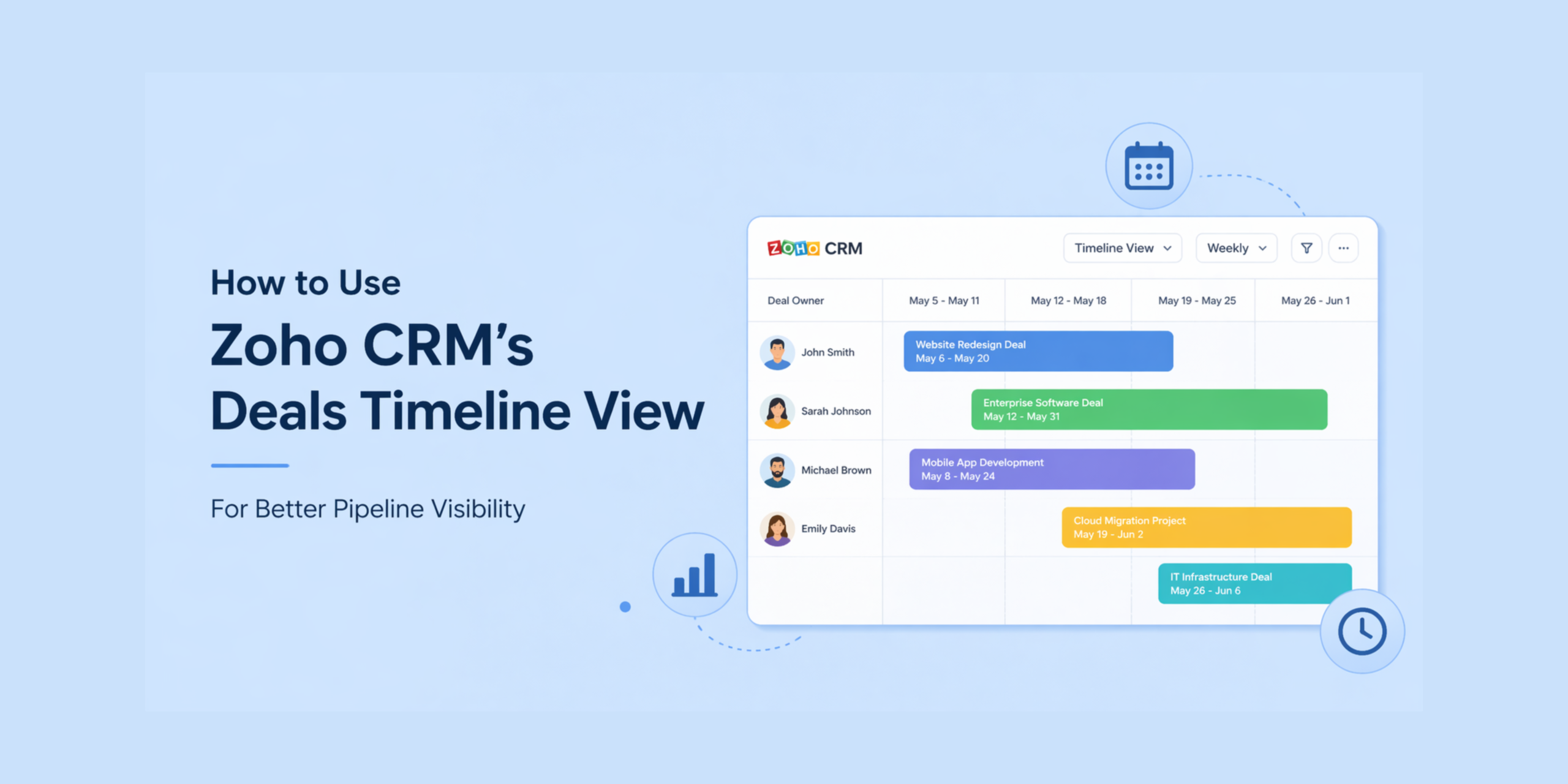
Managing deals is about more than just pipeline stages. Most teams look at deals in a list view, Kanban view, or standard pipeline report. Those views are useful, but they do not always make timing easy to understand. A deal may be open for weeks or months. Several deals may overlap at the same time. A manager may want to know which opportunities are active right now, which ones are coming up next, and whether any rep is overloaded.
At the same time, many organizations also need to think beyond deals entirely. They may be tracking vehicle availability, equipment usage, project timelines, or other operational data inside custom modules within Zoho CRM.
This is where the Timeline View becomes useful. Instead of relying on rows of data, it allows teams to see when records are active and how they overlap across a given period. That added layer of timing makes it easier to understand workload, identify patterns, and make better decisions.
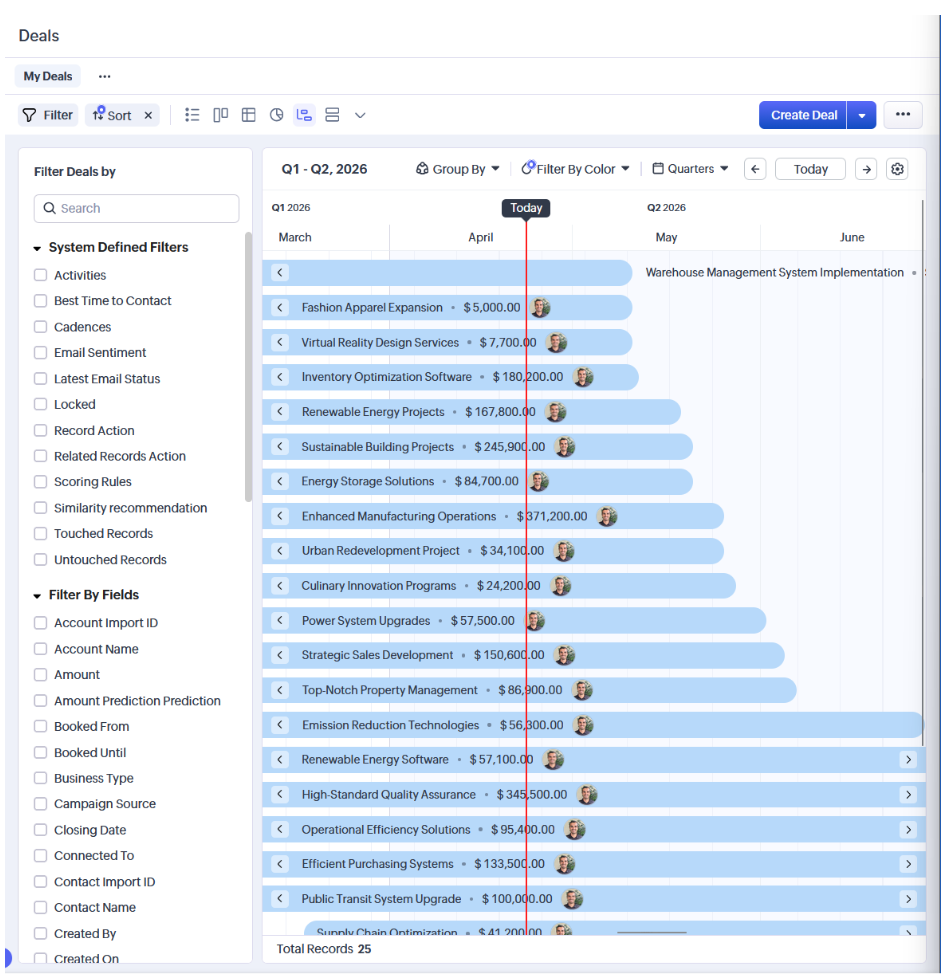
Timeline View in Zoho CRM.
Timeline View is a visual layout that displays records across a timeline using a defined start date and end date.
In the Deals module, the start date is typically the creation time, and the end date is the closing date. The same concept can be applied to other modules that rely on date ranges.
The result is a schedule-like view of your data. Each record is represented across the period it is active, making it easier to see duration, overlap, and distribution without scanning through individual records.
The view can also be grouped by users or picklist fields, and records can be adjusted directly on the timeline by dragging them to new date ranges.
Get a manager-level view of the pipeline.
Sales managers often need to look beyond individual deals to understand the overall pipeline. A standard pipeline view shows stage and value, but it does not always reveal how activity is spread out over time.
With the Timeline View, managers can review when deals are active and how they overlap. This makes it easier to see whether certain periods are overloaded or if expected close dates are grouped too closely together. It also provides a clearer way to evaluate how work is distributed across a team.
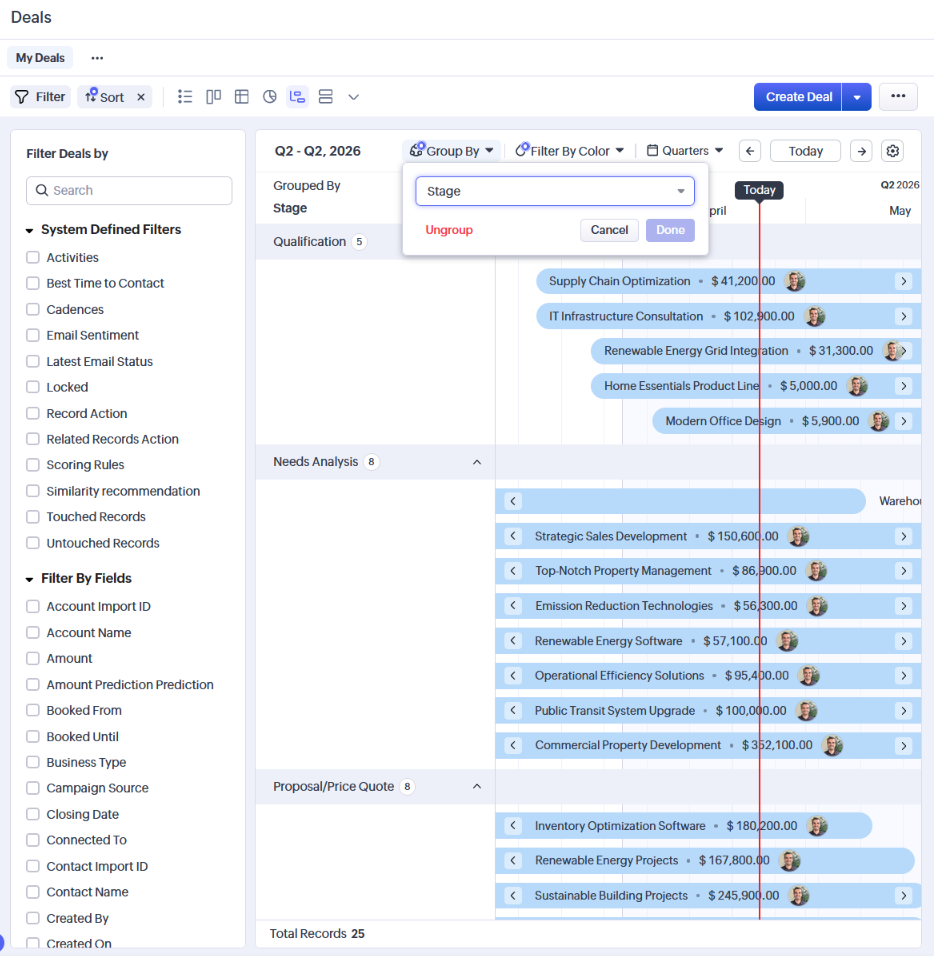
Track resources using custom modules
While the Timeline View is available in the Deals module, one of its more practical uses is in custom modules designed to track resources.
Many organizations use Zoho CRM to manage more than just sales opportunities. Custom modules are often created to track things like vehicles, equipment, rooms, or other shared assets. These records typically include a start date and an end date that represent when a resource is in use.
Timeline View makes this type of data much easier to manage. Instead of reviewing records one at a time, teams can see all reservations or usage periods laid out visually. This makes it easier to identify overlaps, gaps, and patterns in how resources are being used.
For example, a company managing a fleet of vehicles could use a custom module to track reservations. Timeline View would allow them to see exactly when each vehicle is booked, when it is available, and whether multiple bookings are competing for the same time period. This reduces the need to manually check records and helps prevent scheduling conflicts.
This approach can also be applied to other scenarios, such as equipment scheduling, service windows, or internal project timelines. The key advantage is that it turns static data into something visual and easier to interpret.
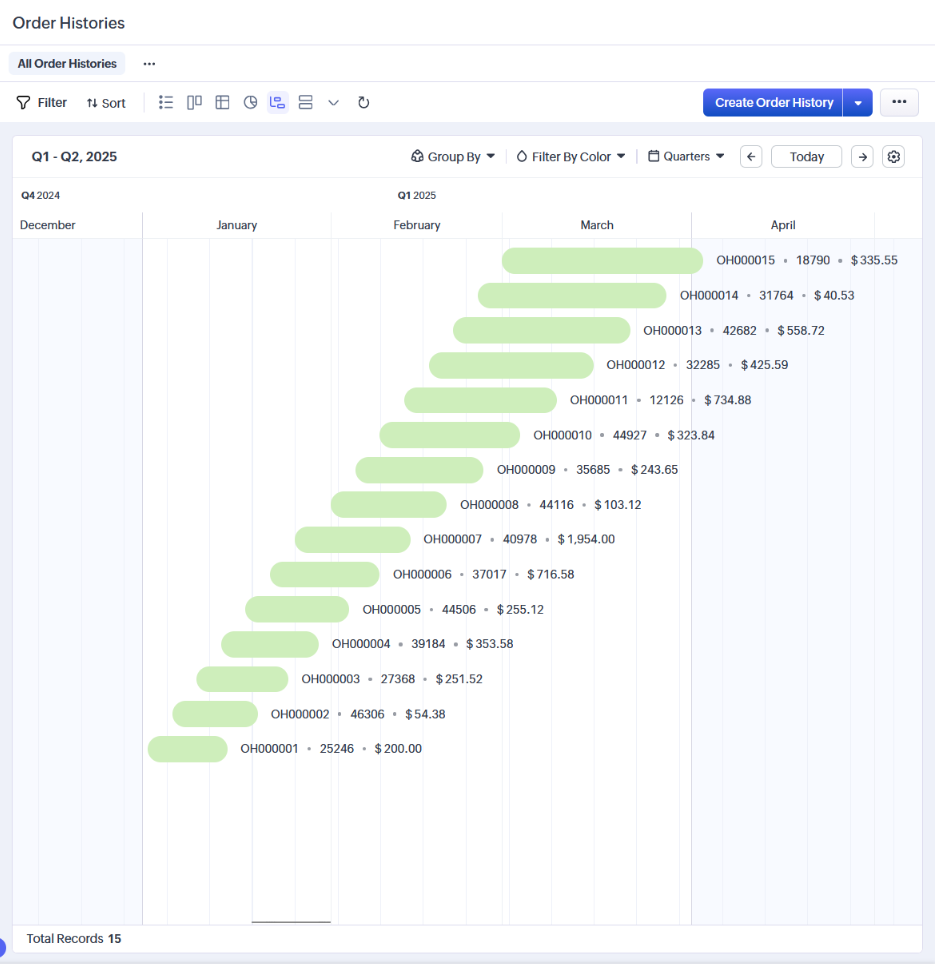
Use Timeline View alongside the Activities module.
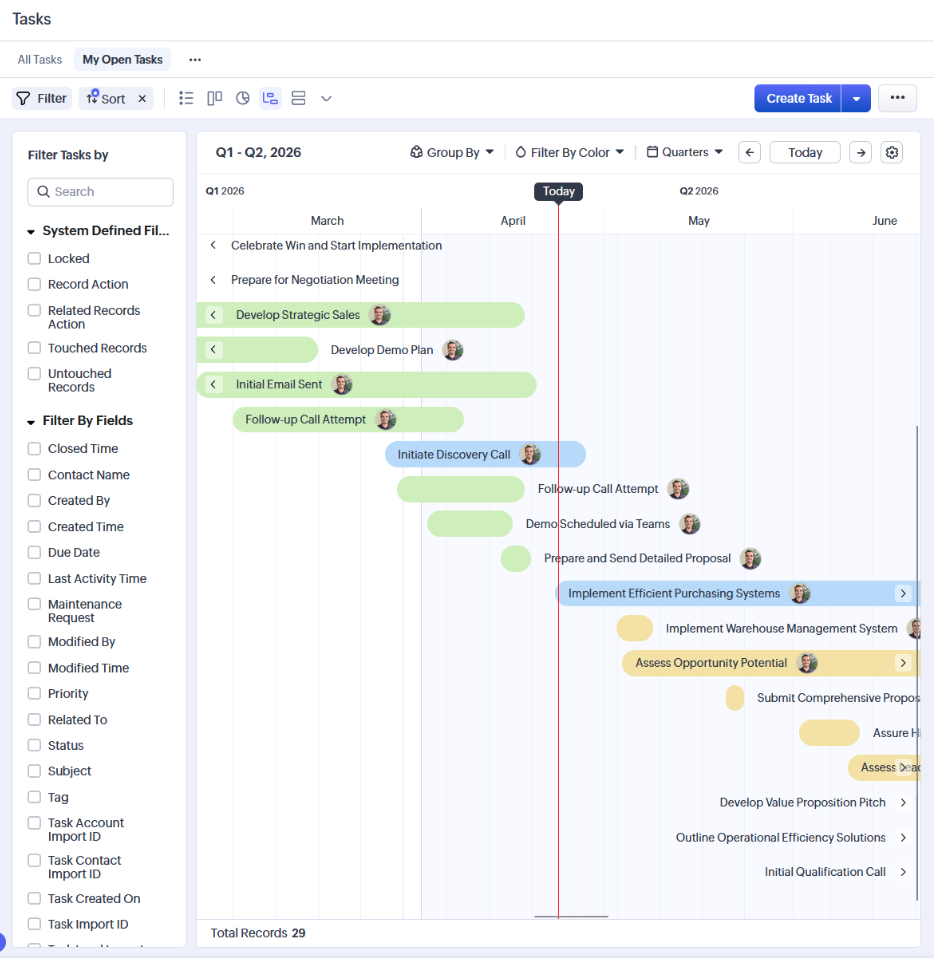
Timeline View can also be useful when working with the Activities module, which includes tasks, events, and calls.
Instead of reviewing activities in a list, this view allows users to see how those activities are distributed across time. It becomes easier to understand how a day, week, or month is structured, and whether certain periods are overbooked or underutilized.
This can be especially helpful for users who manage a high volume of activities across leads, contacts, and customers. It provides a clearer picture of scheduling and makes it easier to identify gaps or conflicts without scanning through rows of records.
Compare planned timing against reality.
The Timeline View also helps teams evaluate how realistic their timelines are. If deals frequently extend beyond their expected close dates, this becomes easier to see when viewing them across a timeline.
Similarly, if many records are expected to conclude within a short period, the timeline can highlight potential issues with forecasting or capacity. This can lead to more accurate planning and better alignment between teams.
How to get more value from Timeline View.
There are a few practical ways to make this feature more useful.
-
-
- Use start and end dates that reflect your actual process rather than relying only on default fields
- Review the timeline at different levels such as daily, weekly, or monthly depending on what you are trying to analyze
- Use grouping to organize records by owner or category for better visibility
- Keep data consistent so the timeline accurately reflects what is happening
-
There is also color in the Timeline View, but it is based on the timing relative to the current date. Records are displayed differently depending on whether they are completed, in progress, or scheduled for the future. While these colors are not customizable, grouping records by picklist or option set fields can still provide useful visual separation.
Availability and requirements.
The Timeline View is available within Zoho’s CRM for Everyone interface, meaning organizations still using the older CRM interface will not have access to it until they complete that transition. Additionally, this feature is only included in the Enterprise and Ultimate editions of Zoho CRM, though users on Zoho One or CRM Plus can also access it since those bundles include Enterprise-level functionality.
Final thoughts.
Zoho CRM’s Timeline View provides a practical way to visualize records over time. It offers a different perspective compared to traditional list or pipeline views by making timing and overlapping easier to understand.
For sales teams, this can improve visibility into deal timing and workload. For operations teams, it can support planning and coordination when working with custom modules. For individual users, it can make scheduling and activity management easier to interpret.
If you're interested in taking advantage of any of the features mentioned above, or if you'd like help setting them up in your Zoho CRM environment, the team at TopLine Results is here to help. Feel free to reach out to us at info@toplineresults.com to get started.
You must be logged in to post a comment.