
Most business processes are not straightforward. They often involve multiple decisions, actions, and notifications, increasing the risk that a step will be missed or completed incorrectly. A good CRM system helps simplify these complex processes by guiding users through the necessary steps, reducing manual work, and making it easier to get things done correctly and efficiently.
Zoho CRM offers several tools to help organizations simplify, streamline, and automate their business processes. One of these is Kiosk, which helps teams control, orchestrate, and standardize even complex processes while reducing manual work.
What are Kiosks?
Zoho CRM Kiosks are tools that can display various screens to gather information from a user, and can then use that information to trigger automations, perform field updates, send emails, create activities, and perform other actions. From a user-perspective, Kiosks often look similar to record-creation Wizards, but Kiosks go far beyond the ability to create records; they boast a wide array of actions that can help facilitate your business processes.
Here are some use cases for Kiosks:
-
-
- Creating records and notifying parties based on various criteria
- Triggering actions in external systems based on specific circumstances
- Walking users through various decision paths to comply with processes and policies
- Directing users to specific/context-dependent sales and support resources
- And many others!
-
How are Kiosks built? What can they do?
Kiosks include several action types, or nodes, that can be chained together to create a process based on your team’s needs.
So, let’s break down the different elements!
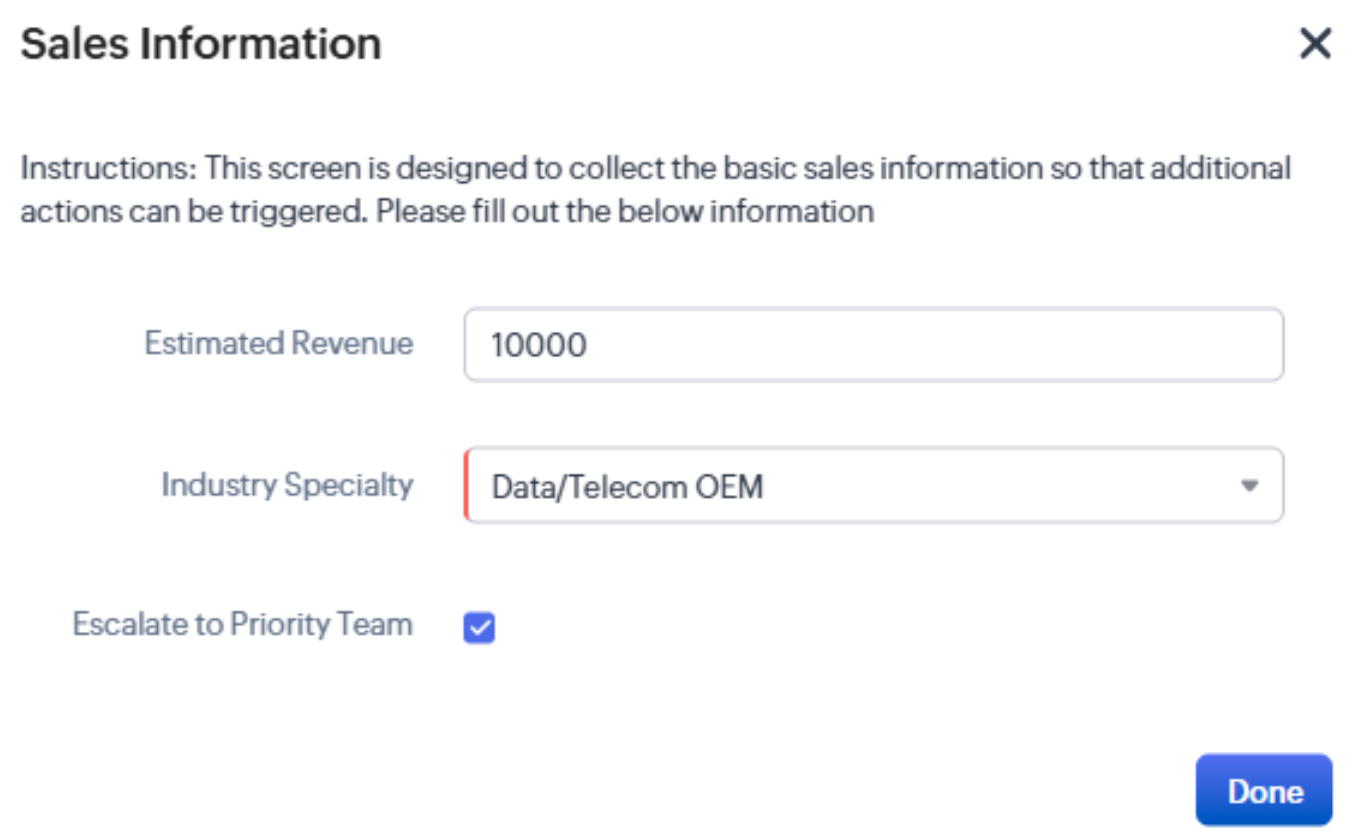
Screen nodes allow an administrator to create a specific screen that is displayed to the user. The screen can prompt users to enter information, select items from a list, or click on buttons to make decisions. It can also include specific instructions, custom fields, and other components.
For example, you could configure a basic screen that asks a user to enter information and make decisions regarding an opportunity’s priority.
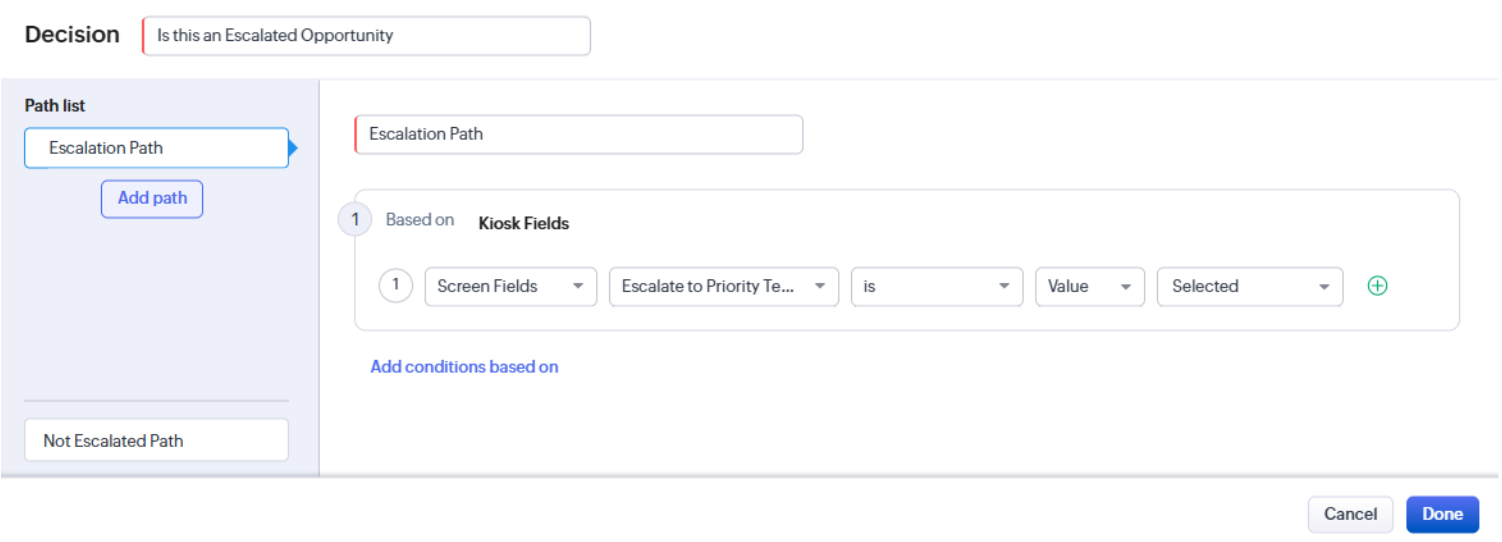
Decision nodes allow your organization to create branching logic based on a user’s response or other information that has been collected. These branches can change the questions a user sees or trigger different workflows, notifications, and processes based on the circumstances of each record.
For example, you could create different paths depending on whether an opportunity requires special attention.
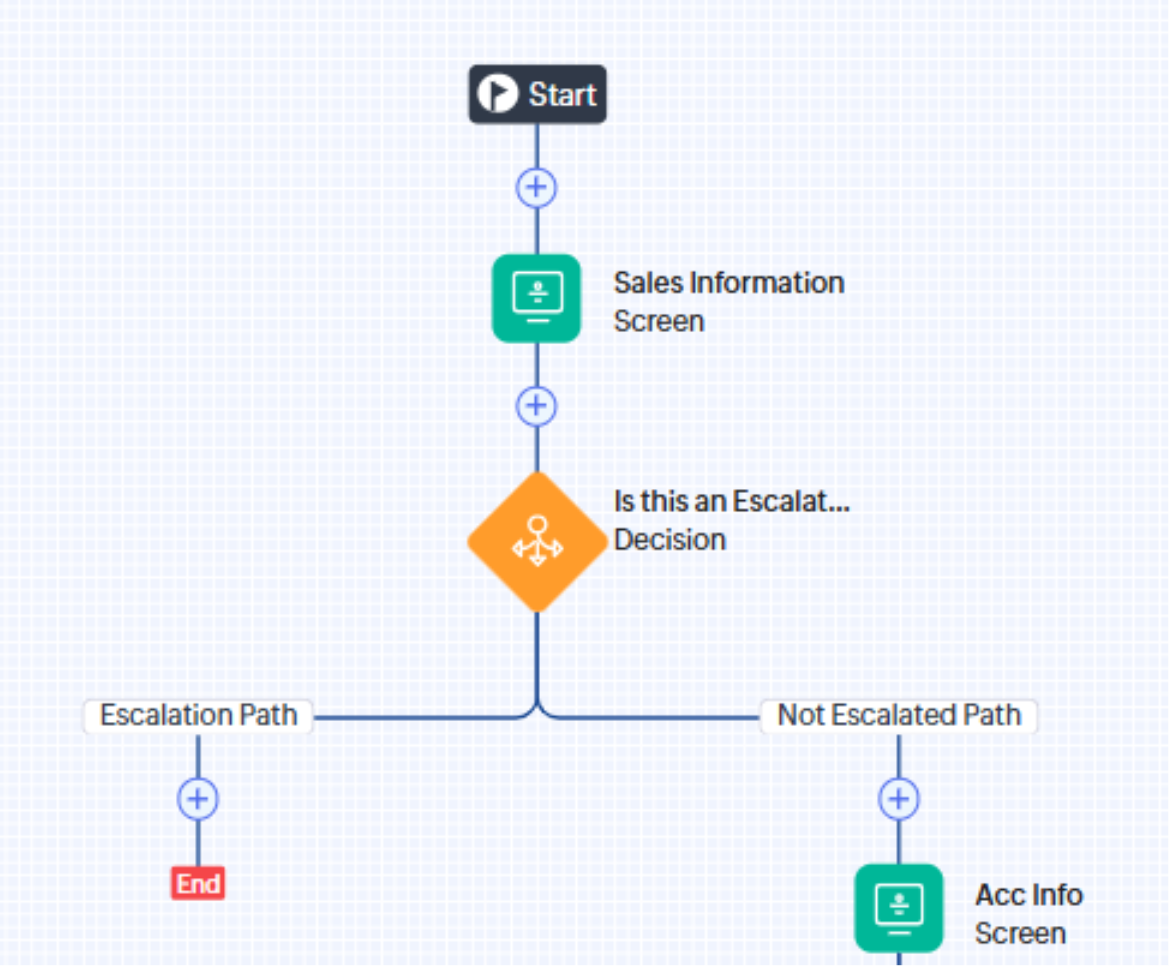
Action nodes allow your Kiosk to perform a variety of actions within Zoho CRM and can even trigger actions in external systems. These actions include:
-
-
- Creating and updating records within the system
- Sending email notifications
- Assigning new owners to existing records
- Adding or removing tags on specific records
- Adding notes to existing records
- Creating activity and note records
- Directing users towards certain pages
- Triggering custom functions
- Triggering external webhooks in other systems
-
For example, if a user identifies that a record requires elevated attention, the Kiosk could send an email to a territory manager, create a follow-up task for the appropriate rep, and trigger a webhook in your project management software to kick off the onboarding process.
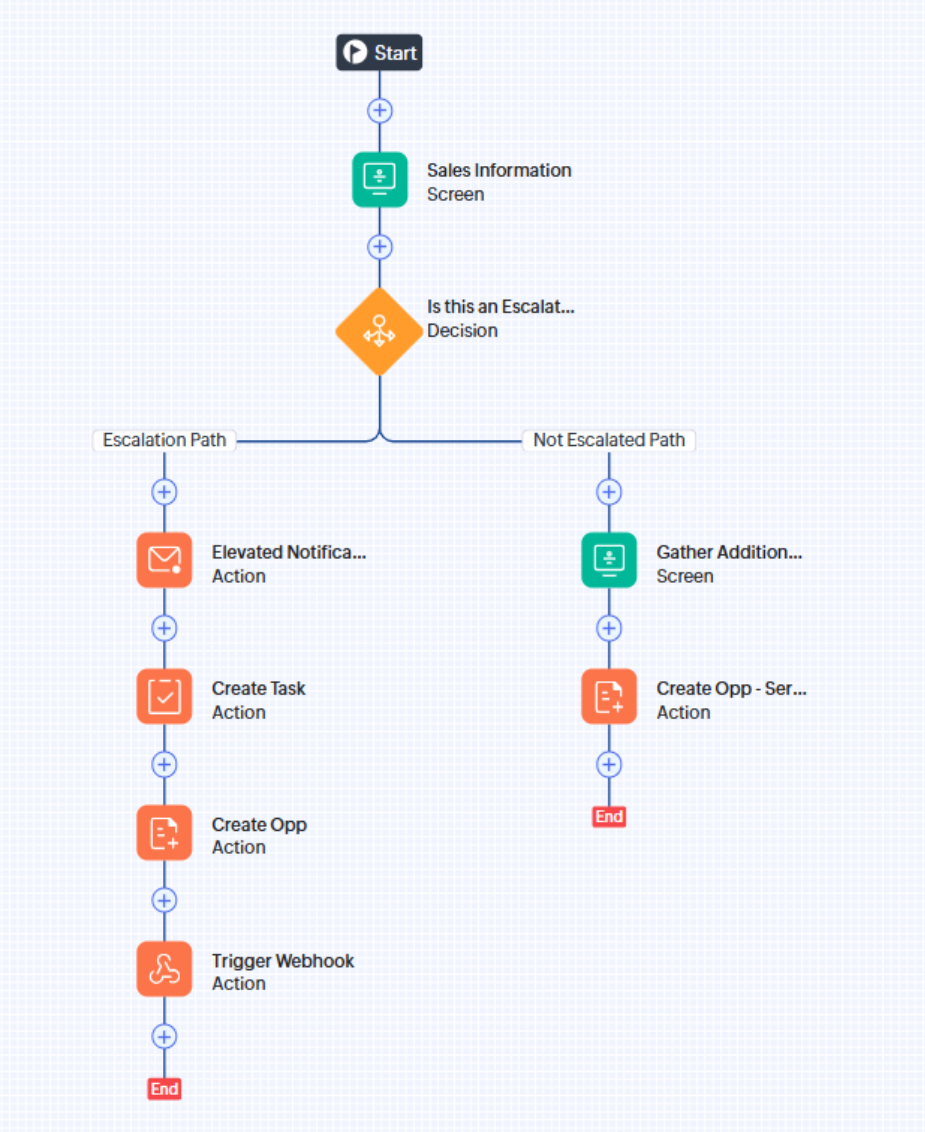
By planning and chaining these nodes together, organizations can standardize and automate business processes, reduce manual work, and make everyday tasks easier for their teams.
Ultimately, Zoho CRM’s Kiosk feature is just one of many tools designed to help your team work more efficiently, reduce busy work, and eliminate confusion. At TopLine Results, we help businesses improve their processes and get more out of their technology so they can spend less time managing systems and more time building valuable customer relationships. We’re here to help your organization do the same. Click here to book your FREE 30-minute consultation, call 1-880-800-1960, or email info@toplineresults.com. We look forward to connecting with you!
You must be logged in to post a comment.