
Managing sales teams effectively often comes down to having the right structure in place. In Zoho CRM, Territories provide that structure by letting you organize accounts, deals, and users into logical groups. This makes it easier to assign responsibility, track performance, and get a clear view of sales activities across your organization. However, before we dive in, let’s take a moment to go back to the beginning.
What Are Territories?
Territories in Zoho CRM are a way to group records and users based on a common factor, such as geography, product type, or business unit. Instead of assigning accounts to just one salesperson or team, territories create a structured hierarchy that helps distribute work and responsibilities. This allows businesses to reflect their real-world sales structure inside Zoho CRM.
Why Use Territories?
Great question! Using Territories in Zoho CRM helps bring organization and clarity to your sales process. Instead of relying solely on role hierarchies or manual assignments, Territories let you define clear ownership based on meaningful groupings.
Territories also make it easier to analyze performance across different segments of your business. Sales managers can quickly compare metrics like pipeline value, win rate, and revenue by Territory to identify trends and growth opportunities.
How to Use Territories.
Ready to get started? Simply select the gear icon in the top right corner to open your settings, navigate to the “Security Control” section, and select “Territory Management”.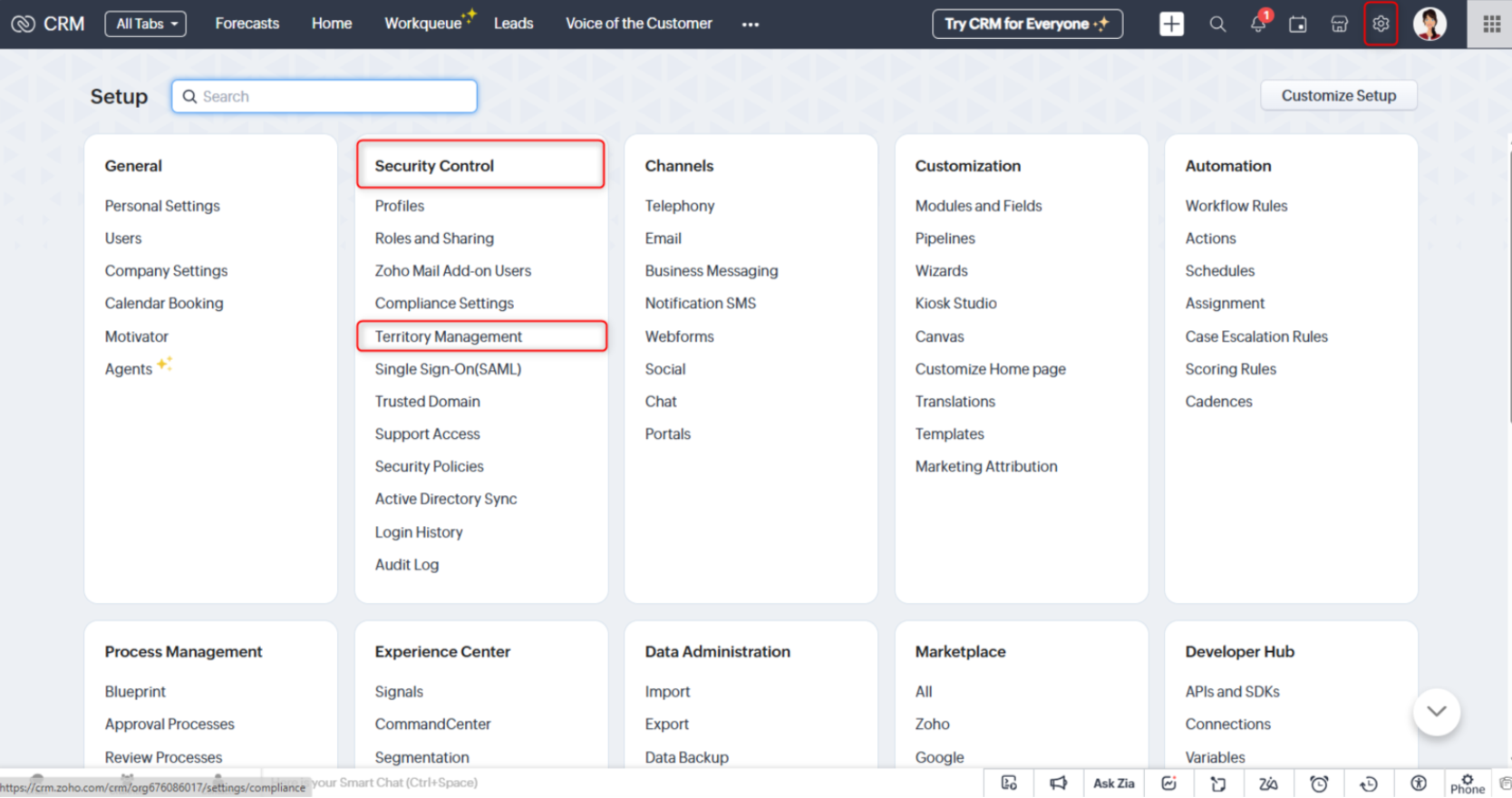
You can also search “Territories” in the search bar.
From here, click “Get Started” to start setting up your Territories. It’s that easy!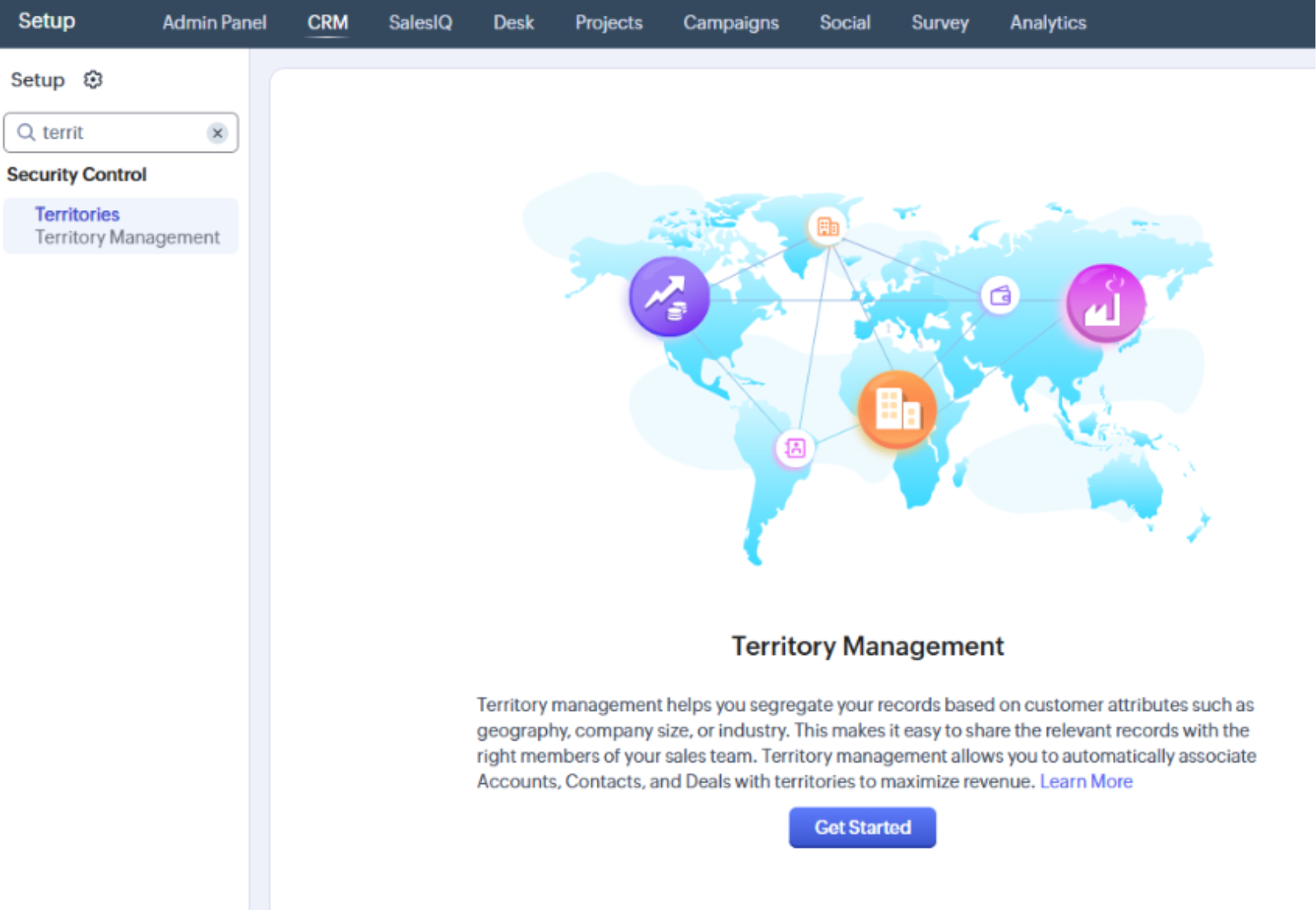
Best Practices for Setting Up Territories.
-
-
- Keep your Territories simple. If you start adding too many complex rules to your Territories, it can become hard to follow and manage.
- Review your Territories regularly. When users change, we recommend reviewing all your Territories since they need to account for the user change.
- Have a plan in place for when Territories need to be changed. This will help make the process quick and effective. For example, using Zoho’s mass edit tool to reassign accounts from one territory to another allows you to make changes efficiently and with confidence.
-
Reporting and analytics with territories.
Once your Territories are set up in Zoho, you can use them in your reports and views.
This allows you to use your Territories’ data to enrich any forecasting reports or performance comparison views you monitor. For example, you can now include sales by territory analytics in your overall metrics.
Territories are a powerful way to align your Zoho CRM setup with how your business operates. When designed thoughtfully, they provide better visibility, cleaner data, and a more organized approach to managing your sales teams.
Keep your structure simple, review it regularly, and use territories alongside reporting to gain deeper insights into performance. Doing so gives you the ability to manage your teams more efficiently, ensure data accuracy, and make smarter decisions that drive consistent growth.
If you need assistance setting up your Territories, please reach out to TopLine Results at 1-800-880-1960 or info@toplineresults.com.
You must be logged in to post a comment.